

Warehouse Software Selector Quiz
Answer these questions to find out which type of warehouse software fits your business best.
You walk into a distribution center, watch the forklifts zip around, and wonder: what’s the brain behind all this chaos? It isn’t magic. It’s code. But here is the problem: if you ask ten logistics managers what that code is called, you’ll get five different answers. Some say WMS. Others say ERP. A few might even just call it "the system." This confusion costs money. If you buy the wrong label, you end up with software that can’t track pallet locations or manage labor efficiently.
The short answer is that the industry standard term is Warehouse Management System, commonly known as WMS. However, the landscape is messier than that. Depending on your business size and complexity, you might actually need an Inventory Management System (IMS) or a module within a larger Enterprise Resource Planning (ERP) suite. Knowing the difference stops you from paying for features you don’t use or missing out on capabilities you desperately need.
Decoding the Acronyms: WMS vs. IMS vs. ERP
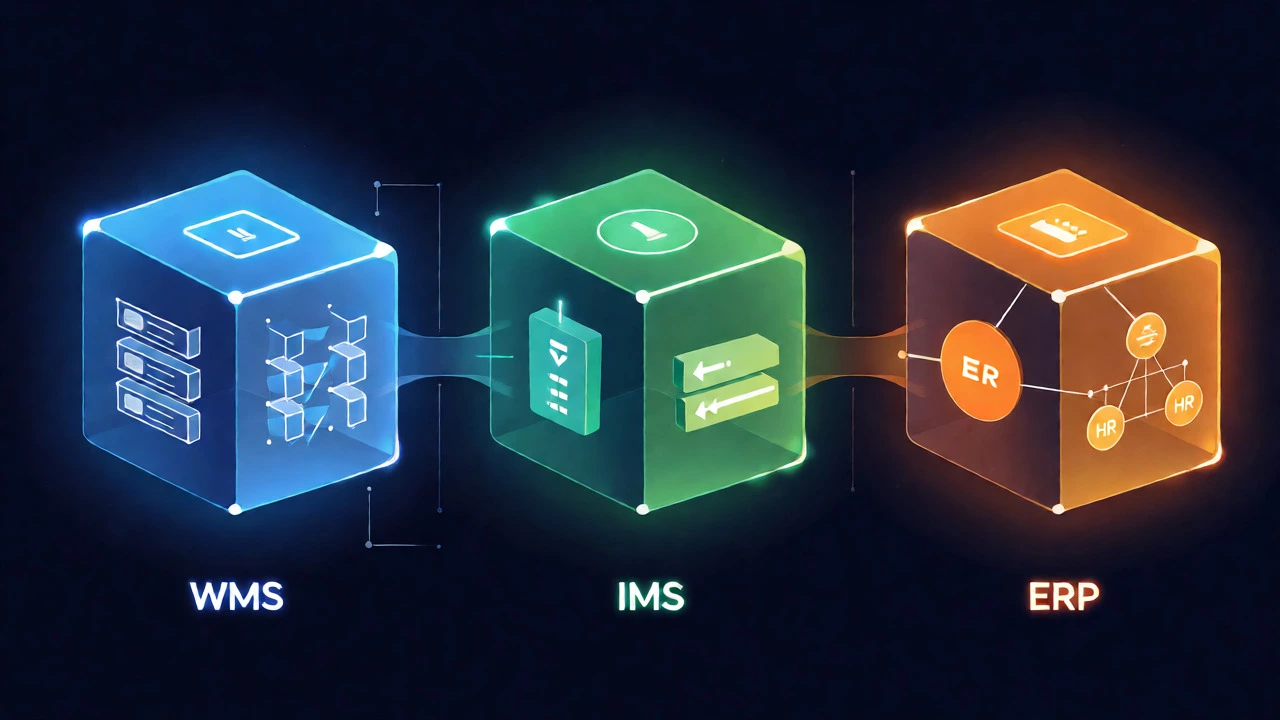
Let’s clear the fog. While people use these terms interchangeably, they do different jobs. Think of it like a car. The engine is one thing; the GPS is another; the entire dashboard is a third. They work together, but they aren’t the same component.
A Warehouse Management System (WMS) is specifically designed to optimize the movement of goods inside four walls. It tells a picker where to go, which bin to grab, and in what order. It focuses on execution. If you have thousands of SKUs and complex picking routes, a WMS is non-negotiable. It handles wave planning, directed put-away, and labor tracking.
In contrast, an Inventory Management System (IMS) tracks stock levels across multiple locations. It knows how many units you have, but it often doesn’t care exactly which shelf they sit on. For a small e-commerce brand shipping from a garage, an IMS is usually enough. You need to know when to reorder, not necessarily the optimal path through aisle four.
Then there’s the Enterprise Resource Planning (ERP) system. This is the big boss. It connects finance, HR, sales, and supply chain. Many ERPs, like SAP or Oracle NetSuite, have built-in warehouse modules. These are great for integration but often lack the deep, granular control of a dedicated WMS. If you try to run a high-volume 3PL (Third-Party Logistics) provider on a basic ERP warehouse module, you’ll likely hit a performance wall.
| Feature | WMS | IMS | ERP Module |
|---|---|---|---|
| Primary Focus | Execution & Movement | Stock Levels & Reordering | Financial & Operational Integration |
| Location Tracking | Bin-level precision | Site-level only | Varies (often site-level) |
| Labor Management | Advanced tracking | Rarely included | Basic time-tracking |
| Best For | High-volume warehouses | Small businesses/Retailers | Large enterprises needing integration |
Why Naming Matters When Buying Tech
Why should you care about the name? Because vendors play games with terminology. If you search for "inventory software," you’ll find tools that barely scratch the surface of warehouse operations. If you search for "WMS," you might get quoted $50,000 upfront for a system that’s overkill for your startup.
Consider a mid-sized furniture retailer. They started using a basic IMS because it was cheap. As they grew, their pickers started grabbing the wrong items because the system didn’t enforce scanning at each step. They needed a WMS feature set-specifically, barcode validation and directed picking-but their current vendor couldn’t provide it. They had to migrate data, retrain staff, and pay for new licenses. All because they bought based on price rather than functional definition.
When you talk to sales reps, ask them to map their product to specific tasks. Don’t just ask, "Is this a WMS?" Ask, "Can it direct a picker to a specific bin location using a handheld scanner?" If the answer is no, it’s probably just an IMS with marketing fluff.
Key Features That Define True Warehouse Software
Not all software labeled "warehouse" delivers warehouse results. To identify genuine Warehouse Management Systems, look for these core capabilities. If a tool lacks these, it’s likely just a spreadsheet with a pretty interface.
- Real-Time Visibility: The system must update stock counts instantly as items move. Delayed data leads to overselling.
- Barcode/RFID Scanning: Manual entry is prone to error. Good software integrates seamlessly with handheld scanners or mobile apps.
- Directed Put-Away: The system should suggest the best storage location based on item velocity, weight, or category, rather than letting workers guess.
- Pick Path Optimization: It calculates the shortest route for pickers to reduce walking time, which accounts for up to 50% of labor costs in manual warehouses.
- Returns Processing: Handling reverse logistics is messy. Dedicated software streamlines inspection and restocking workflows.
Notice what’s missing? Accounting. While a WMS talks to accounting systems, it doesn’t replace them. This separation of concerns is why specialized WMS providers often outperform generic business suites in operational efficiency.
Cloud vs. On-Premise: The Modern Shift
Ten years ago, installing warehouse software meant buying servers, hiring IT staff, and waiting months for implementation. Today, most solutions are cloud-based SaaS (Software as a Service). This shift has changed who can afford sophisticated tools.
Cloud WMS platforms allow for faster deployment-sometimes in weeks rather than quarters. They scale easily during peak seasons like Black Friday. You pay a monthly subscription, which helps cash flow. However, internet dependency is a risk. If your Wi-Fi drops in the warehouse, can your team still pick orders? Top-tier cloud systems offer offline modes that sync once connectivity returns. Always test this before signing a contract.
On-premise solutions still exist, mostly in massive industrial plants where data security or latency is critical. But for 90% of businesses reading this, cloud is the practical choice. It reduces maintenance headaches and ensures you’re always on the latest version without expensive upgrade projects.

Integration: The Hidden Cost of Isolation
The best warehouse software is useless if it sits in a silo. Your WMS must talk to your other tech stack. This is where many projects fail. You need seamless connections to your Ecommerce Platform (like Shopify or Magento), your Shipping Carrier APIs (FedEx, UPS, DHL), and your accounting software.
Look for pre-built connectors. Custom API development is expensive and fragile. If a carrier changes its API format next year, will your software update automatically? Cloud vendors usually handle this; on-premise might require a paid patch. Check the vendor’s integration roadmap. Do they support EDI (Electronic Data Interchange)? This is crucial if you sell to big-box retailers like Walmart or Target, who demand automated purchase order processing.
Choosing the Right Name for Your Needs
So, what should you call it when you start shopping? Start by defining your pain point. Are you struggling with stock accuracy? Look for IMS. Are you struggling with slow fulfillment times? Look for WMS. Are you struggling with disconnected departments? Look for ERP.
Once you’ve narrowed it down, ignore the marketing labels and focus on the demo. Make the vendor show you exactly how they handle your worst-case scenario. Maybe it’s a split shipment. Maybe it’s a return with damaged packaging. If the software requires five clicks to process a simple return, it’s not optimized for speed, regardless of what they call it.
Remember, the goal isn’t to own the fanciest acronym. It’s to ensure your warehouse runs smoothly. Whether you call it a WMS, an IMS, or simply "our system," make sure it solves the specific bottlenecks slowing down your growth.
Is WMS the same as inventory management?
No, they are related but distinct. Inventory Management Systems (IMS) track stock quantities and reorder points across locations. Warehouse Management Systems (WMS) focus on optimizing the physical movement and storage of goods within a specific facility, including bin locations and pick paths.
Do I need a WMS if I use an ERP?
It depends on volume. Basic ERP modules handle simple warehousing well. However, if you have high transaction volumes, complex picking rules, or need detailed labor analytics, a dedicated WMS integrated with your ERP usually performs better than the native ERP module.
What is the average cost of warehouse software?
Costs vary widely. Small business IMS solutions can range from $50 to $300 per month. Mid-market WMS subscriptions typically cost between $1,000 and $5,000 per month, plus implementation fees. Enterprise-grade custom solutions can exceed six figures annually.
Can I use Excel instead of warehouse software?
For very small operations (under 100 orders/day), Excel can work. However, it lacks real-time updates, automation, and error prevention. Once you exceed manual capacity, spreadsheets become a liability due to human error and lack of scalability.
How long does it take to implement a WMS?
Cloud-based WMS implementations typically take 4 to 12 weeks. Complex enterprise integrations or on-premise deployments can take 6 to 18 months, depending on customization requirements and data migration complexity.