
SAP Warehouse Module Selector
Answer these questions about your current or planned warehouse operations to find the right SAP solution.
Result
Why this fits:
Select your options and click analyze to see which SAP module suits your warehouse needs.
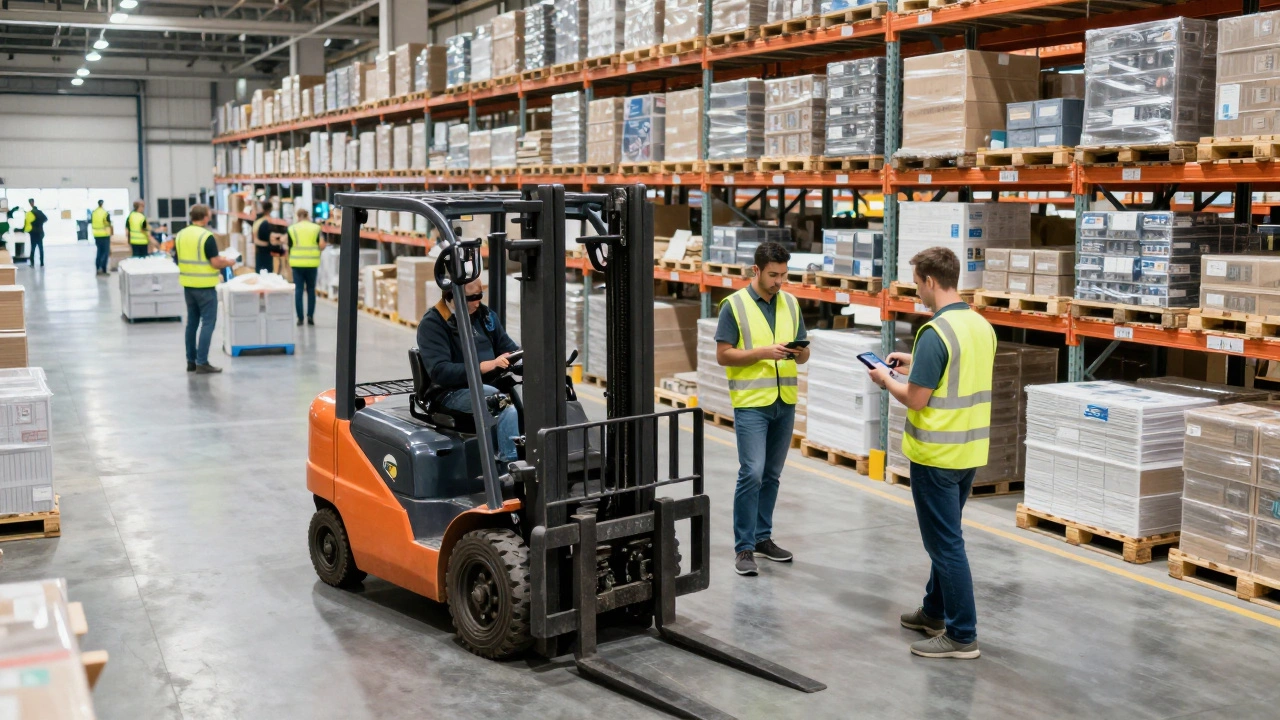
Imagine standing on the floor of a busy distribution center. Forklifts are moving, pickers are scanning items, and trucks are waiting to be loaded. Now imagine doing all that without knowing exactly where your stock is. You’d be guessing. Chaos would reign. That is why companies use specialized software to run their warehouses. One of the biggest names in this space is SAP. But what does it actually do inside four walls?
In simple terms, SAP in a warehouse acts as the central nervous system for your physical goods. It doesn't just count boxes; it tells you where they are, when they arrived, who owns them, and when they need to move next. For many businesses, especially large ones, SAP is not just an option-it's the backbone of their entire supply chain.
Key Takeaways
- SAP Warehouse Management (WM) handles basic storage tasks like putaway, picking, and stock transfers within standard ERP systems.
- SAP Extended Warehouse Management (EWM) offers advanced features for complex operations, including labor management and slotting optimization.
- Real-time visibility reduces errors, prevents stockouts, and speeds up order fulfillment significantly.
- Integration with other business functions ensures that finance, sales, and procurement stay aligned with physical inventory levels.
The Core Function: Tracking Every Unit
At its heart, SAP solves one major problem: visibility. In a small garage workshop, you can remember where your tools are. In a 100,000-square-foot facility with millions of SKUs, human memory fails. SAP replaces guesswork with data. When a pallet arrives, it gets a unique identifier. From that moment on, every movement is recorded.
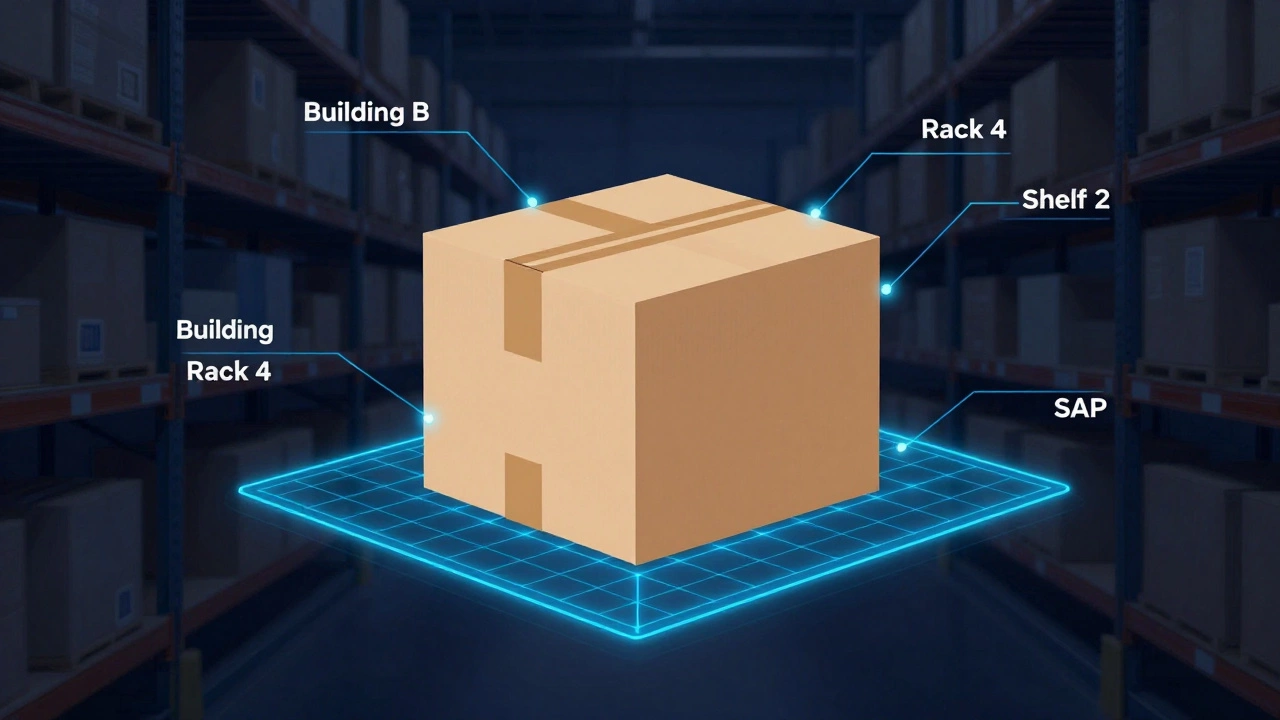
This tracking happens through a concept called bin management. Instead of just saying "Item A is in the warehouse," SAP says "Item A is in Building B, Rack 4, Shelf 2, Position 1." This precision allows workers to find items quickly. It also means you know exactly how much space you have left. If a shelf is full, the system flags it before a worker even tries to put something there.
For retailers during peak seasons like Black Friday or Christmas, this level of detail is critical. A single misplaced pallet can delay hundreds of orders. SAP minimizes these risks by enforcing strict rules for where items go based on their size, weight, and turnover rate.
SAP WM vs. SAP EWM: Which One Do You Need?
When people talk about SAP in warehouses, they usually refer to two different modules: Warehouse Management (WM) and Extended Warehouse Management (EWM). Understanding the difference is crucial for making the right choice for your operation.
| Feature | SAP WM (Standard) | SAP EWM (Advanced) |
|---|---|---|
| Complexity Level | Basic to Moderate | High/Complex |
| Labor Management | No | Yes (Performance tracking, incentives) |
| Slotting Optimization | Limited | Advanced (AI-driven recommendations) |
| Deployment | On-Premise only | Embedded, Decentralized, or Cloud |
| Best For | Simple storage, low volume | High-volume, cross-docking, complex flows |
SAP WM is part of the core ERP suite. It works well if your warehouse operations are straightforward. You receive goods, store them, and ship them out. There aren't many special handling requirements. However, as your business grows, WM might feel restrictive. It lacks deep analytics and advanced workflow controls.
SAP EWM was built to handle complexity. It supports processes like cross-docking (moving goods directly from receiving to shipping without storing them), value-added services (like kitting or labeling inside the warehouse), and detailed labor monitoring. If you run a global distribution network with multiple shifts and unionized labor, EWM provides the granularity you need to manage costs and efficiency.
How SAP Streamlines Daily Operations
Let’s look at a typical day. How does SAP actually help a picker named Sarah get her job done faster?
First, there is wave planning. Instead of processing orders one by one as they come in, SAP groups them into "waves" based on criteria like carrier cutoff times, destination zones, or product type. This batching reduces travel time because Sarah picks multiple orders for the same area in one trip.
Next, the system directs her via a handheld device or wearable technology. It gives her the optimal path through the aisles. No more zigzagging back and forth. The algorithm calculates the shortest route dynamically. Studies show that path optimization alone can reduce walking time by up to 30%.
When Sarah scans an item, SAP checks it against the order instantly. If she scans the wrong SKU, the device beeps an error immediately. This prevents mis-ships before they leave the dock. Once the order is complete, SAP updates inventory levels in real-time across the entire organization. The sales team sees the reduced stock count instantly, preventing them from selling items that are already gone.
Integration: Connecting the Dots
A warehouse doesn't exist in a vacuum. It connects to suppliers, customers, and internal departments. SAP’s strength lies in its integration capabilities. Because SAP often powers the financial, HR, and procurement sides of a business too, the warehouse data flows seamlessly into those areas.
For example, when inventory drops below a certain threshold, SAP can automatically trigger a purchase requisition to the procurement department. Or, if a shipment is delayed, the system can alert customer service proactively. This end-to-end connectivity eliminates silos. You don't have to export spreadsheets from the warehouse system and import them into the accounting software manually. Everything talks to each other.
This integration extends to external partners too. SAP Business Network allows suppliers to update their shipment status directly. Your warehouse team knows exactly when a truck will arrive, allowing them to schedule dock doors efficiently. No more idling trucks or empty docks.

Challenges and Considerations
Implementing SAP in a warehouse isn't plug-and-play. It requires significant planning, training, and sometimes process reengineering. Companies often underestimate the change management aspect. Workers used to paper-based systems may resist digital workflows. Training must be thorough and ongoing.
Data quality is another hurdle. Garbage in, garbage out. If your master data-item descriptions, dimensions, weights-is inaccurate, the system’s recommendations will be flawed. Regular audits and data cleansing are essential. Additionally, hardware compatibility matters. Your scanners, conveyors, and automated storage retrieval systems (AS/RS) must integrate smoothly with SAP interfaces.
Cost is also a factor. Licensing, implementation services, and maintenance can be expensive. However, for mid-to-large enterprises, the return on investment comes from reduced labor costs, fewer errors, and better asset utilization. Small businesses might find lighter-weight solutions more appropriate initially.
Future Trends: Automation and AI
The landscape of warehouse management is evolving rapidly. SAP is incorporating artificial intelligence and machine learning into its platforms. Predictive analytics can forecast demand spikes, allowing warehouses to pre-position inventory closer to shipping docks. Robotics integration is becoming standard, with SAP directing autonomous mobile robots (AMRs) alongside human workers.
Digital twins are also gaining traction. A digital twin is a virtual replica of your physical warehouse. Managers can simulate changes-like adding new racks or changing shift patterns-in the digital model before implementing them physically. This reduces risk and downtime during upgrades.
As sustainability becomes a priority, SAP helps track carbon footprints associated with warehousing activities. Energy usage, waste reduction, and efficient routing contribute to greener operations. These metrics are increasingly important for regulatory compliance and brand reputation.
Is SAP only for large companies?
While SAP is famously associated with enterprise giants, smaller businesses can benefit from cloud-based versions like SAP S/4HANA Cloud. However, the complexity and cost mean that very small operations might prefer simpler warehouse management systems (WMS) unless they plan rapid growth or operate in highly regulated industries.
How long does it take to implement SAP in a warehouse?
Implementation timelines vary widely. A basic setup might take 3-6 months, while a complex global rollout with custom integrations can take 12-18 months or more. Factors include data migration, user training, hardware installation, and testing phases. Proper project management is key to staying on schedule.
Can SAP integrate with non-SAP systems?
Yes. SAP uses middleware and APIs to connect with third-party applications, e-commerce platforms, and legacy systems. Tools like SAP Integration Suite facilitate these connections, ensuring smooth data exchange even if other parts of your tech stack aren't SAP products.
What is the role of barcodes and RFID in SAP warehouses?
Barcodes and RFID tags are the primary methods for capturing data in SAP warehouses. Scanning these identifiers links physical items to their digital records in the system. This enables accurate tracking, fast receiving, and precise picking. RFID offers advantages over barcodes by allowing bulk scanning without line-of-sight, speeding up processes further.
Does SAP help with inventory accuracy?
Absolutely. By enforcing strict procedures for every transaction and providing real-time updates, SAP significantly improves inventory accuracy. Cycle counting features allow for regular partial counts instead of disruptive full shutdowns, helping maintain high accuracy rates consistently throughout the year.